First Looks
A sneak peek at the interface we are building for the future of fraternal point of sale.
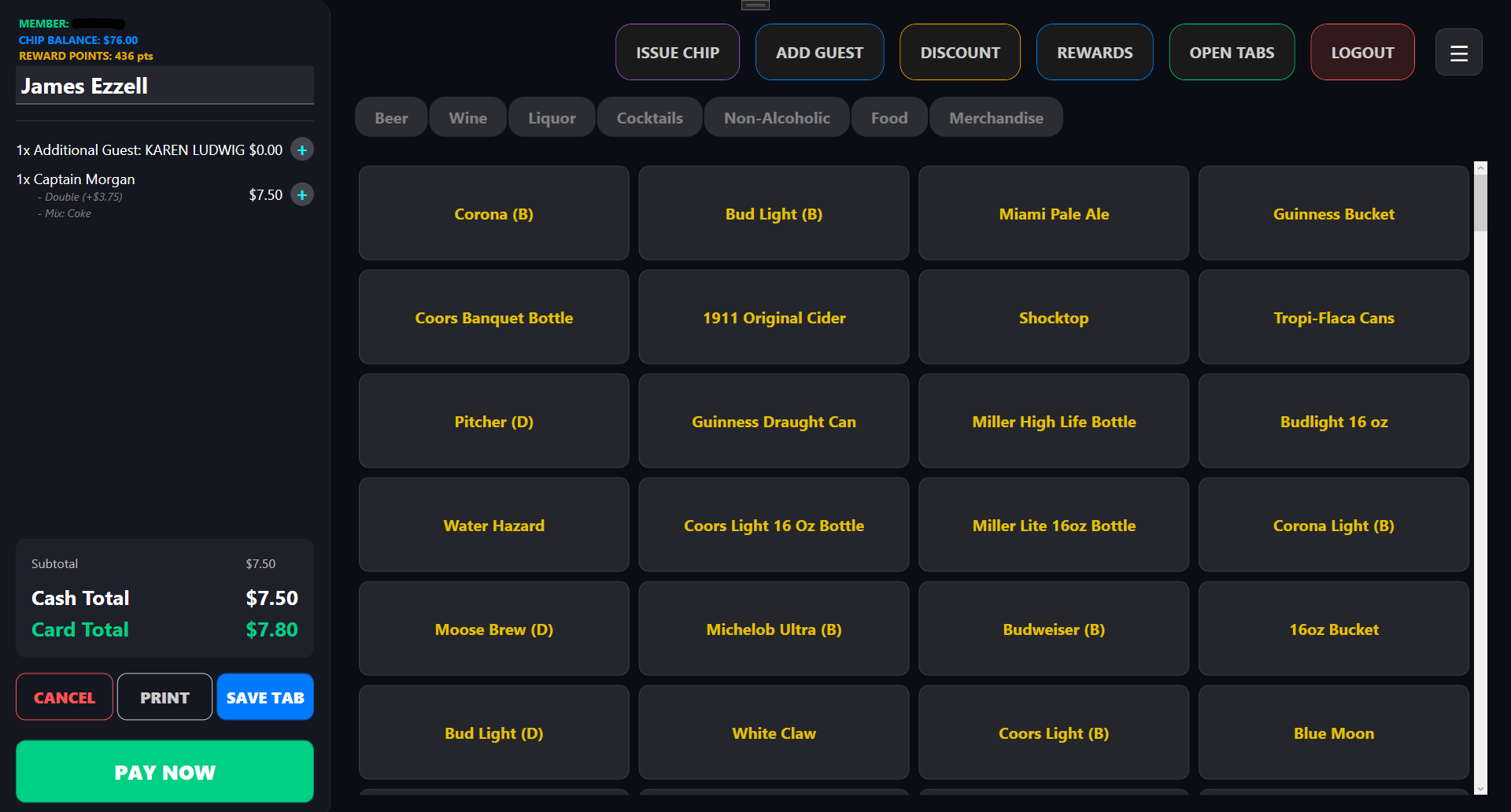
Main POS Screen
The POS Menu
Depending on the ticket status, the menu shows several options:
- Chips: Credits that can be used as payment. These can be printed or attached to a user's membership card.
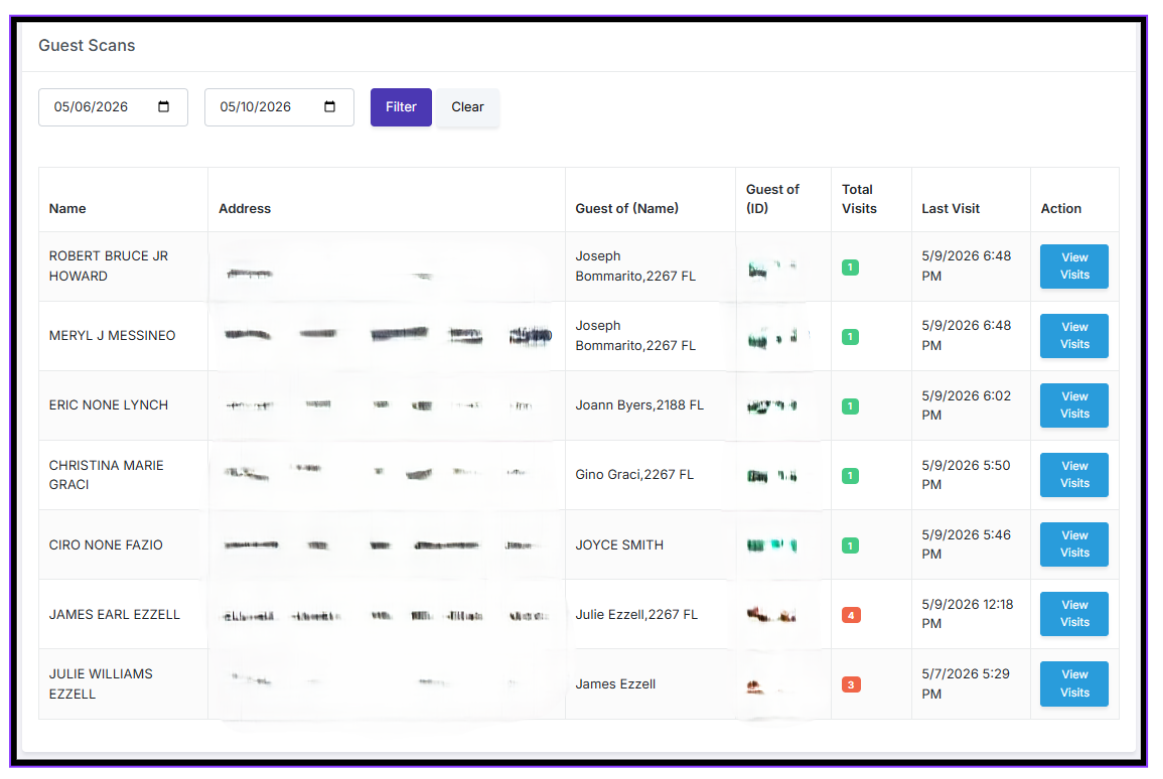
- Guests: Scan a guest's ID for tracking the number of visits.
- Discounts: Add a discount to the tab (Higher Degree Night, Employee Discount, etc).
- Member Lookup: Look up a member to verify they are current.
- Rewards: Shows accumulated points for redemption.
- Open Tabs: See open/saved/closed tabs to allow payment or transfer.

Admin View
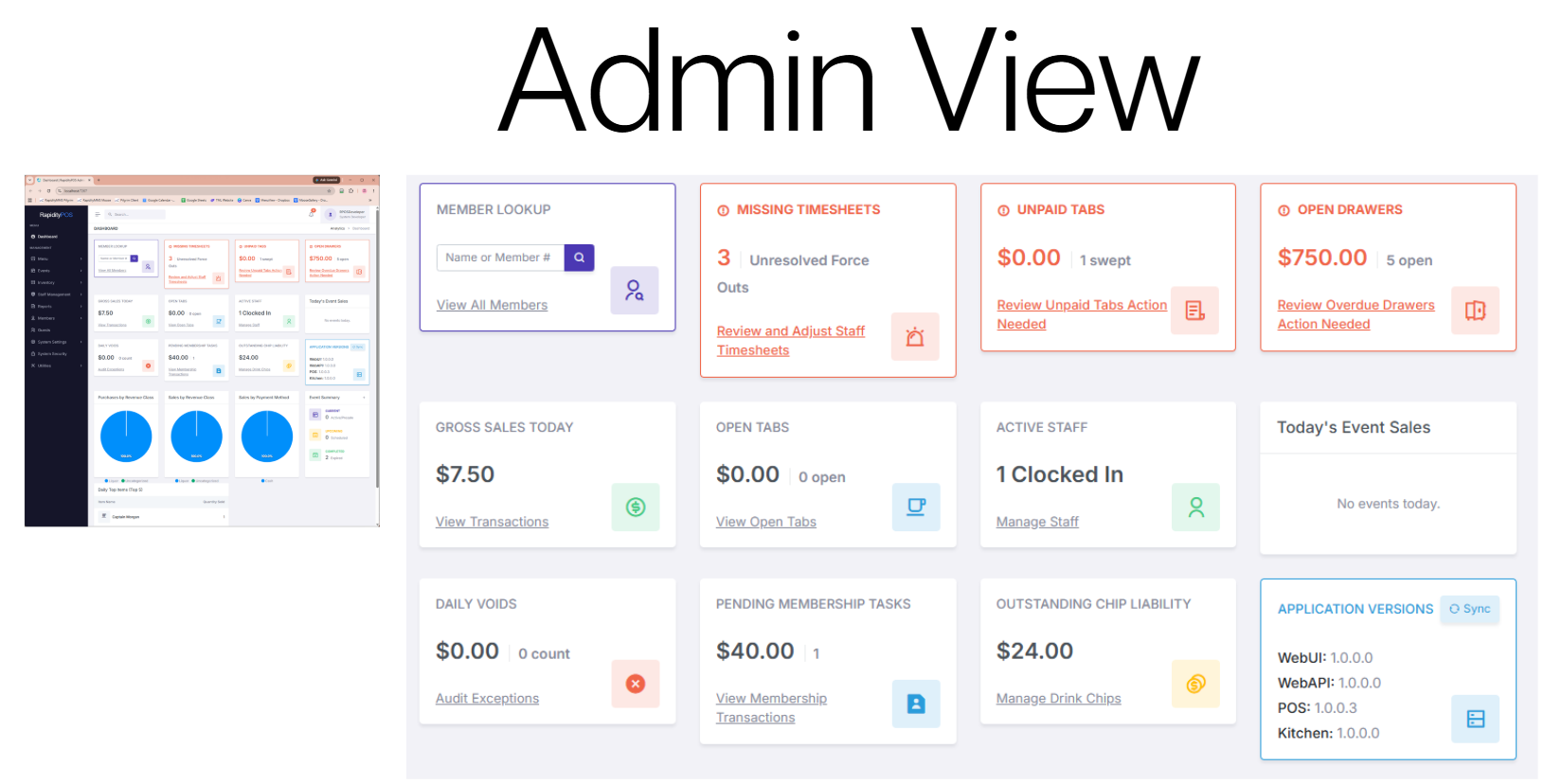
The comprehensive Admin Dashboard provides instant visibility into lodge operations. Monitor missing timesheets, unpaid tabs, open drawers, gross sales, active staff, and application versions all from a single, unified command center.
Guest List & Tracking
Guest visits are automatically tracked. The bartender is Notified on the second visit, and Warned on the third visit to ensure strict compliance with IRS regulations and local lodge rules.